
SSX Blur
SSX Blur brings the adrenaline-pumping world of extreme s...


WWE SmackDown vs. Raw 2011 introduces major structural overhauls that redefine single-player progression and sandbox wrestling gameplay.
The game debuts WWE Universe Mode, a dynamic system that continuously generates match cards, rivalries, cutscenes, and championship opportunities based on player actions and match outcomes. Meanwhile, the fan-favorite Road to WrestleMania mode returns with an interactive backstage hub, allowing players to roam freely, talk with other Superstars, initiate spontaneous brawls, and complete side quests as they prepare for the flagship pay-per-view event.
Physical interaction within matches is significantly upgraded through a revamped physics system. Objects like chairs, ladders, and tables react dynamically to hits and falls, enabling players to lean ladders against ropes, throw steel chairs, or break tables at exact impact angles. The Hell in a Cell match type has also been expanded with a larger cage structure, weapons under the ring, and multiple ways to break through walls. Complete with a robust suite of creation modes, WWE SmackDown vs. Raw 2011 stands out as one of the deepest wrestling titles on the Wii.
Specification | Detail |
Title | WWE SmackDown vs. Raw 2011 |
Platform | Nintendo Wii |
Genre | Sports / Professional Wrestling / Fighting |
Developer | Yuke's |
Publisher | THQ |
Release Date | October 26, 2010 |
Game Modes | Single-player, Local Multiplayer (Up to 4 Players) |
Control Options | Wii Remote, Wii Remote + Nunchuk, Classic Controller |
WWE Universe Mode: Experience an ongoing, dynamic wrestling calendar that generates match cards, surprise interference, alliances, and title fights based on your playstyle.
Interactive Backstage Hub: Explore locker rooms, interview areas, and hallways in an enhanced Road to WrestleMania campaign featuring free-roam movement and side objectives.
Real-Time Dynamic Physics: Utilize interactive weapons with natural collision detection, allowing dynamic table breaks, ladder maneuvers, and chair throws.
Revamped Match Types: Fight inside an expanded Hell in a Cell cage, execute precise table maneuvers, and compete in Royal Rumbles, TLC, and Ladder matches.
Creation Suite: Craft custom Superstars, entrance sequences, finishing moves, and detailed storylines using Story Designer tools.
A: While the core gameplay mechanics, roster, physics engine, and WWE Universe Mode are preserved on the Wii, the Wii version omits online play and online Community Creations features present on HD consoles.
A: The game supports multiple control schemes, including sideways Wii Remote gestures, the Wii Remote + Nunchuk setup, and traditional button layouts with the Classic Controller or Classic Controller Pro.
A: Yes, the Create-a-Superstar mode returns on the Wii with extended options for costumes, facial structures, muscle details, move sets, entrances, and custom finishing moves.
A: The Road to WrestleMania features five distinct story paths, allowing players to step into the boots of John Cena, Rey Mysterio, Christian, Chris Jericho, or take on Undertaker's legendary Streak as a chosen Superstar.
Click the links below to go to the cloud drive download page
⚠️ Download Tips:
SSX Blur brings the adrenaline-pumping world of extreme s...
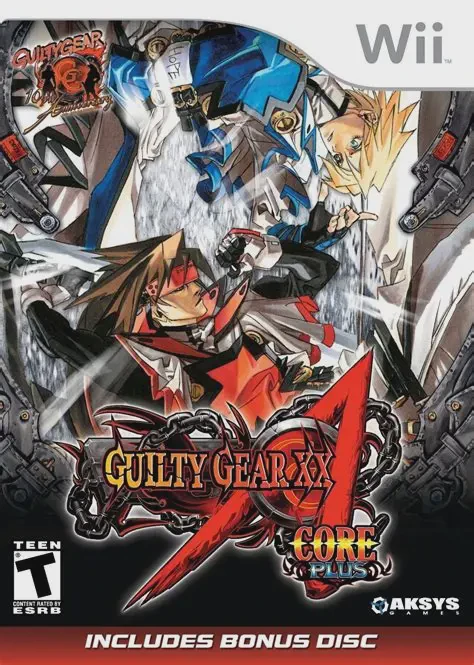
Guilty Gear XX Accent Core Plus is a 2009 2D fighting gam...
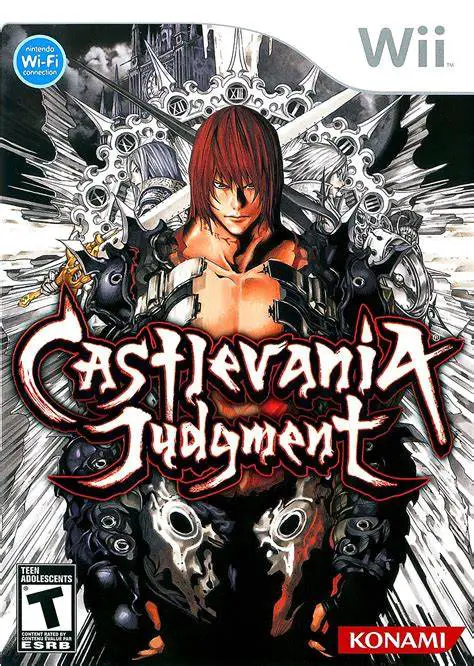
Castlevania Judgment is a 2008 3D arena fighting game dev...

WWE SmackDown vs. Raw 2010 delivers a feature-packed prof...

WWE SmackDown vs. Raw 2009 brings an upgraded tag team sy...